Inline Translating
This framework supports inline translation mode, which means that you can translate anywhere in the application so that you can view strings you are translating in context. If you right-click on the underlined string, the translation dialog appears and you will be able to vote for the available translations or submit a new one.
Preview
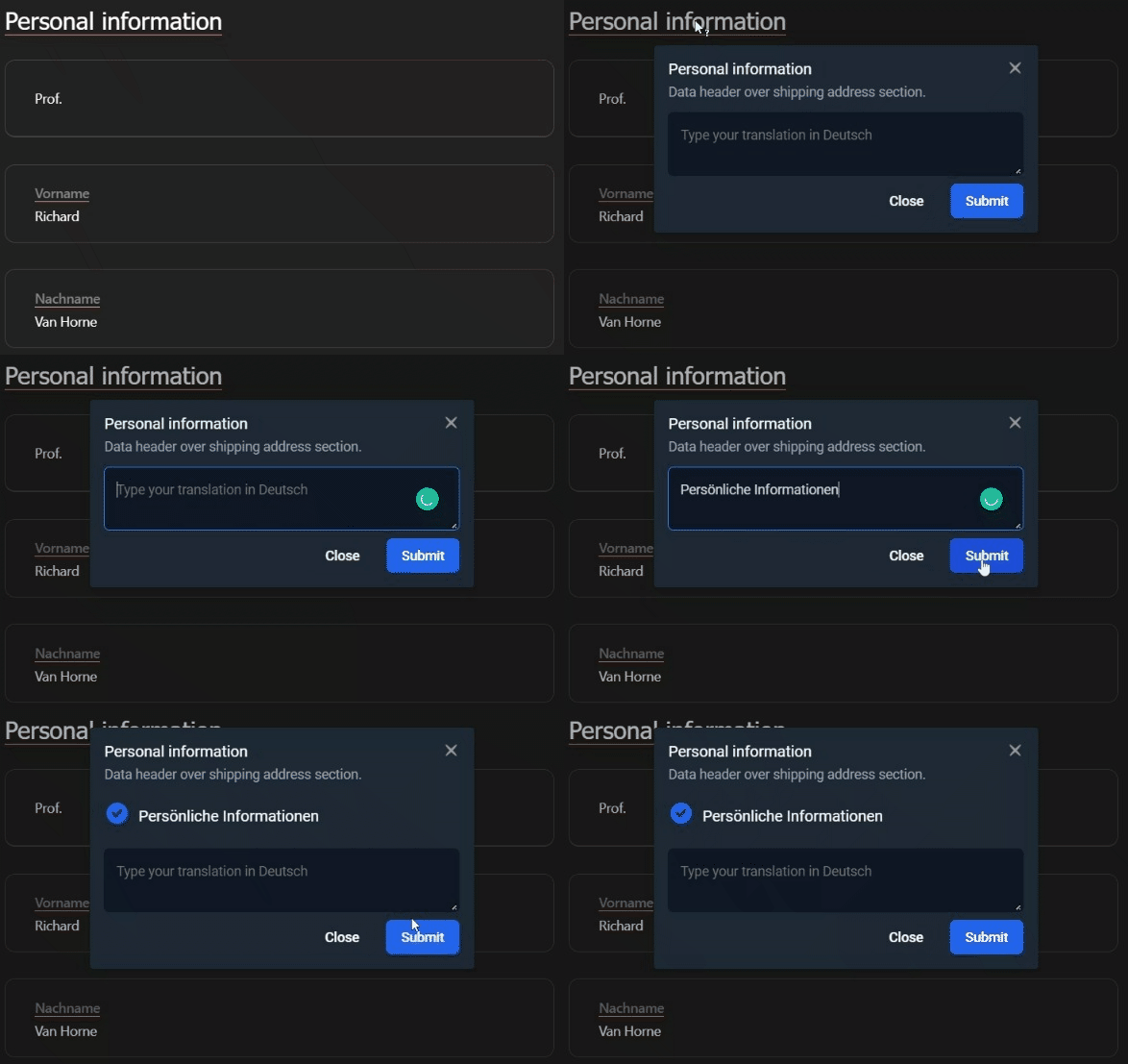
Installing
For installation, please follow these instructions.
How it works?
// to turn on inline translations (or 'APPROVE', 'REPORT')
FbtHooks::inlineMode('TRANSLATION');

// to turn off inline translations
FbtHooks::inlineMode('NO_INLINE');
The inlined strings are wrapped in <em class="intlInlineMode_..."> elements, which are styled by
intlInlineMode.css.
Excluded translations
Strings created with fbs() / <fbs> are never inlined, since they are meant to be used as plain text
(e.g. in HTML attributes).
If you need to turn off inline mode for specific phrases, you can use option reporting:
<title>
    <?=fbt('Account Settings', 'page title', ['reporting' => false])?>
</title>
or using canInline hook:
FbtHooks::register('canInline', function ($backtrace) {
    foreach ($backtrace as $call) {
        if ($call['function'] === 'fbt_raw') {
            return false;
        }
    }

    return true;
});

function fbt_raw(string | fbt\fbt $text): string
{
    return (string)$text;
}

$title = fbt('Account Settings', 'page title');

echo fbt_raw($title);